IP Phones in 2026: A Practical Buyer’s Guide for Growing Businesses
Choosing the right IP phones in 2026 shapes how your team talks to customers every single day. A crackly line, a dropped call, or a handset that nobody can figure out costs real money and quiet frustration. This guide walks through what actually matters when you move a business to modern VoIP hardware, so you can buy once and buy well.
Voice over IP is no longer the risky experiment it was a decade ago. It is now the default for offices, clinics, hotels, and remote teams across Pakistan and the wider region. The question is no longer whether to switch, but which desk phones and cordless models fit the way your people already work.
Why IP Phones Still Matter in a Chat-Driven World
Messaging apps handle plenty of internal traffic, yet the phone call remains the moment of truth for sales, support, and bookings. A caller who reaches a clear, professional line trusts you faster. That trust is hard to rebuild once a bad connection ruins it.
Modern IP phones give you HD voice, encrypted signalling, and tight integration with your PBX or cloud platform. They also cut long-distance costs dramatically, since calls travel over your existing internet link instead of legacy copper lines.
According to the International Telecommunication Union, global IP traffic keeps climbing year after year, and voice is riding that same broadband backbone. Businesses that standardise on quality VoIP hardware now avoid painful re-buys later.
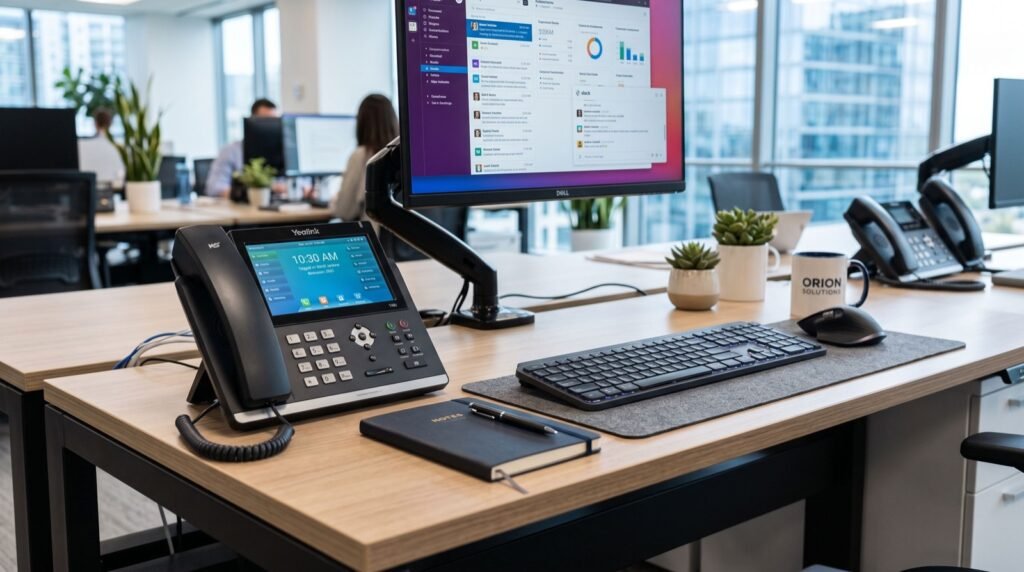
Desk Phones, Cordless, and Video: Picking the Right Category
Not every seat needs the same device. Matching the handset to the role keeps spending sensible and staff happy.
- Entry desk phones suit warehouses, reception overflow, and shared workstations where calls are simple and frequent.
- Executive desk phones add colour screens, more line keys, and Bluetooth for managers who juggle many contacts.
- Cordless and Wi-Fi phones free staff who roam, such as floor supervisors, nurses, and hotel housekeeping.
- Smart video phones bring face-to-face meetings to the desk without a separate camera rig.
For teams that move around a site, a portable handset changes the game. The Fanvil W610W connects over Wi-Fi so employees stay reachable in stockrooms, corridors, and outdoor yards without dragging a cable behind them.
What to Check Before You Buy
Specifications can blur together fast. Focus on the handful of features that decide daily comfort and long-term value.
Audio quality and codecs
Look for wideband HD voice and support for modern codecs. Clear audio reduces repeated questions and shorter calls mean higher throughput for support teams.
Provisioning and management
Bulk deployment tools save hours. Zero-touch provisioning lets IT push settings to dozens of phones at once instead of configuring each by hand.
Power and cabling
Power over Ethernet removes the clutter of separate adapters. One cable carries both data and electricity, which simplifies installs and cleans up desks.
Screen and usability
A crisp display, programmable keys, and an intuitive menu cut training time. Staff should place, hold, and transfer calls without a manual.
Comparing Common Business Phone Types
| Phone type | Best for | Mobility | Typical extras |
|---|---|---|---|
| Entry desk phone | Reception, shared desks | Fixed | Basic display, few keys |
| Executive desk phone | Managers, sales | Fixed | Colour screen, Bluetooth |
| Wi-Fi cordless | Roaming staff | High | Long battery, rugged build |
| Smart video phone | Meeting rooms, execs | Fixed | Camera, large touchscreen |
When a role demands a flagship desk unit with a large display and premium call handling, the Fanvil V61G Prime Business Phone gives executives the line capacity and polish they expect during high-stakes calls.
How Do You Deploy IP Phones Without Downtime?
Rolling out new hardware feels daunting, but a staged plan keeps the office running. Start with a pilot group, confirm call quality, then expand department by department.
- Audit your network bandwidth and switch capacity first.
- Configure your PBX or cloud platform with test extensions.
- Deploy phones to a small team and gather feedback for a week.
- Roll out in waves, keeping old lines live as a fallback.
- Retire legacy hardware once every seat is confirmed stable.
Working with an experienced local team for setup and support means fewer surprises. On-the-ground help matters when a handset misbehaves on a busy morning and you need answers fast.
Security and Compliance Considerations for 2026
Voice traffic deserves the same protection as any other data. In 2026, encryption of both signalling and media is a baseline expectation, not a luxury.
Choose phones and platforms that support secure transport protocols and regular firmware updates. The Cybersecurity and Infrastructure Security Agency stresses that unpatched communication devices are a common entry point for attackers, so keep firmware current across your fleet.
- Enable encrypted call transport wherever your platform allows it.
- Change default admin passwords on every device.
- Segment voice traffic onto its own network where possible.
- Schedule firmware reviews at least quarterly.
Total Cost of Ownership Beyond the Sticker Price
The cheapest handset rarely wins over three years. Factor in reliability, warranty, provisioning time, and how well the device integrates with your existing system.
A slightly pricier phone that deploys in minutes and rarely fails often costs less than a bargain unit that eats support hours. Buy for the lifecycle, not the launch day.
Frequently Asked Questions
Do IP phones need special internet to work well?
They need stable, adequately provisioned broadband and a switch that can prioritise voice traffic. Most modern office connections handle VoIP comfortably once you enable quality of service settings.
Can I keep my existing phone numbers when switching to VoIP?
Yes, number porting is standard practice. Your provider transfers your published numbers so customers reach you exactly as before, with no disruption.
Are Wi-Fi cordless phones reliable for busy sites?
They are, provided your wireless coverage is solid. Good access point placement and dedicated voice settings keep roaming handsets clear and connected across a large floor.
How long do business IP phones typically last?
Quality desk phones commonly serve five to seven years with firmware updates. Choosing a reputable brand protects that investment and keeps support available.
Conclusion
The right IP phones in 2026 turn every call into a smooth, professional interaction that builds customer trust. Match handsets to roles, insist on HD audio and easy provisioning, and keep security front of mind throughout your rollout. Do that, and your communication backbone becomes an asset rather than a headache. Ready to upgrade? Explore proven business phone hardware today and give your team the clear, reliable lines they deserve.